GARRY Medical
Garry Smart Fue System
The dual-screen FUE hair transplant machine, explained page by page: planning, motion modes, the live session, personalisation, community and support.
GARRY
Precision instruments engineered for modern hair restoration surgery
Contents
- Two screens, one workflow03
- Plan. Draw. Start.04
- Four motions. Your sequence.05
- The four motions06
- Built-in modes. Or yours.07
- Live. Every graft.08
- Charts in real time09
- Your colour. Your language.10
- Surgeon to surgeon.11
- Help, one message away.12
- Garry Smart Fue System at a glance13
What is the Garry Smart Fue System?
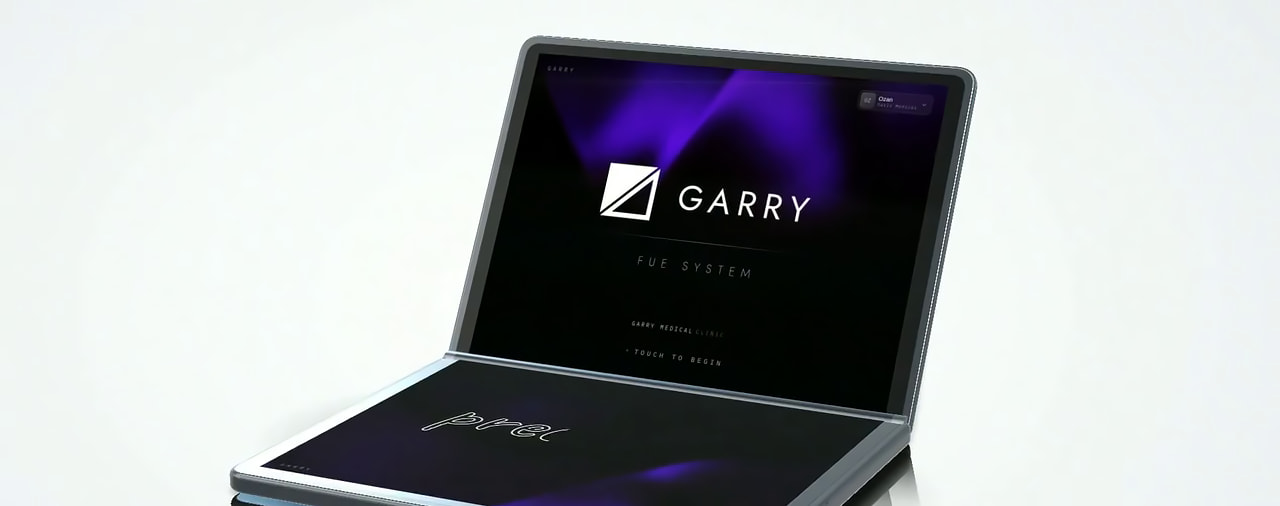
The Garry Smart Fue System is Garry Medical's hair transplant machine for FUE extraction: a dual-screen device that plans the donor area, drives the punch with the motion mode the surgeon has set and shows every graft of the session as it is harvested. It is designed around the FUE workflow and made in Türkiye, alongside the Garry punch line it drives.
The upper screen carries the live view, the lower screen the controls and the preview, and the menu runs through Planning, Session, Community, Education and Settings. Configuration, handpiece, punch compatibility, accessories, availability and pricing are confirmed on the quotation.
The figures are the settings shown in the product film. Speed, angles, frequency and timing are set per mode on the device.
01touch screens, one workflow
Two screens, one workflow
The device opens like a book: the upper screen shows, the lower screen controls. Every step of the FUE session is on one of the two.
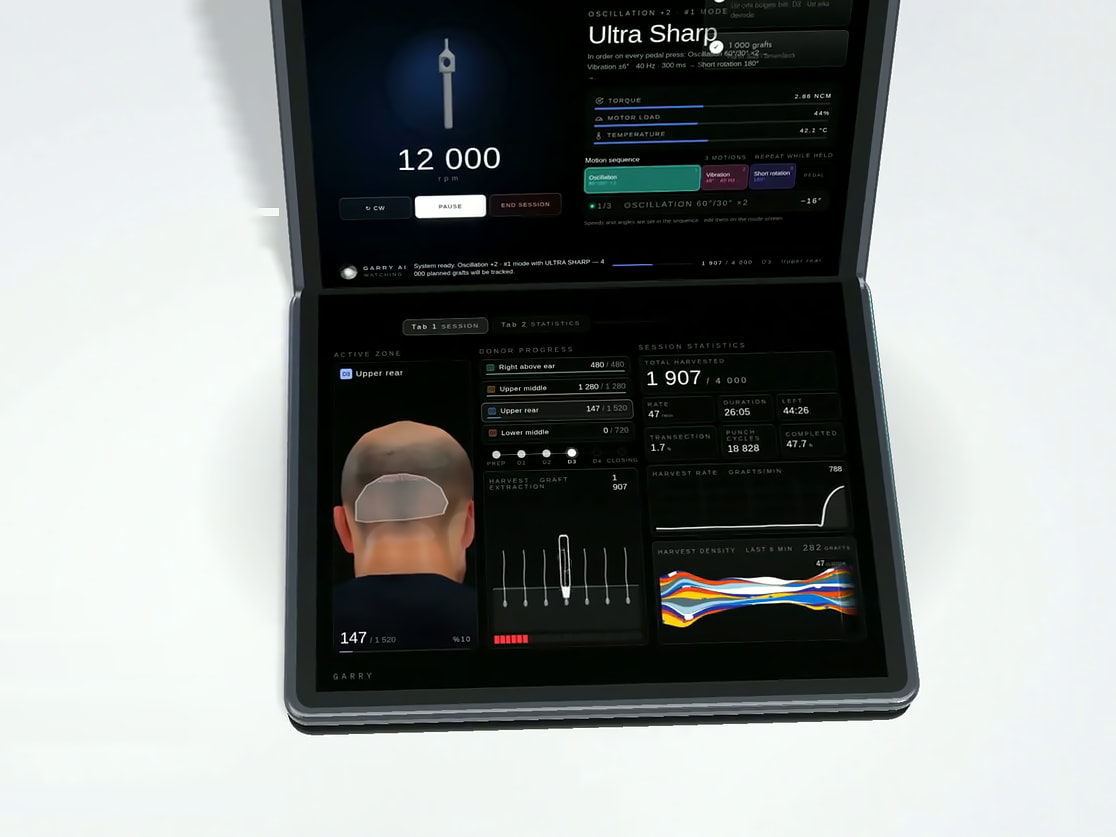
- 01Upper screenThe live view: the head model, the punch and the running sequence, the session statistics.
- 02Lower screenThe controls and the preview: the menu, the mode builder, the zone list, the mode preview before the session starts.
- 03Fluid menuPlanning, Session, Community, Education and Settings, each opened from the lower screen.
- 04PedalEvery pedal press runs the mode's sequence; the sequence can repeat for as long as the pedal is held.
On the screens
02Planning
Plan. Draw. Start.
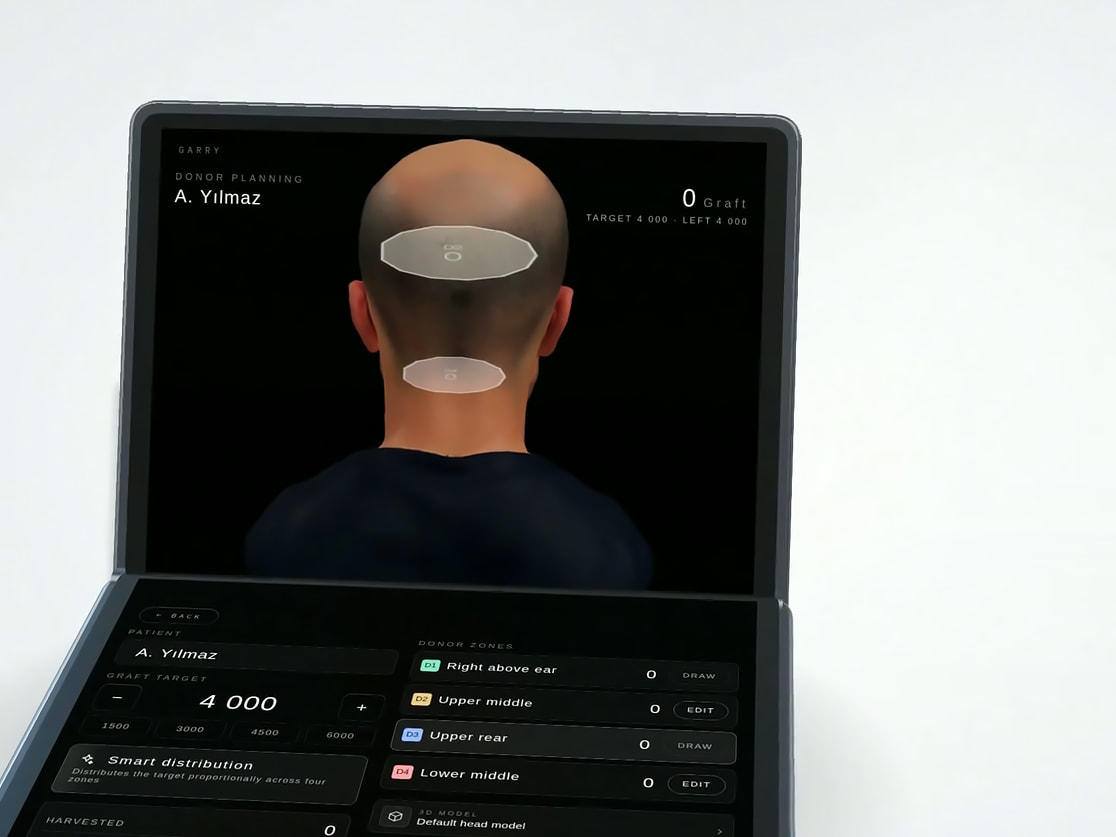
The donor area is planned on a 3D head model before the first graft is taken.
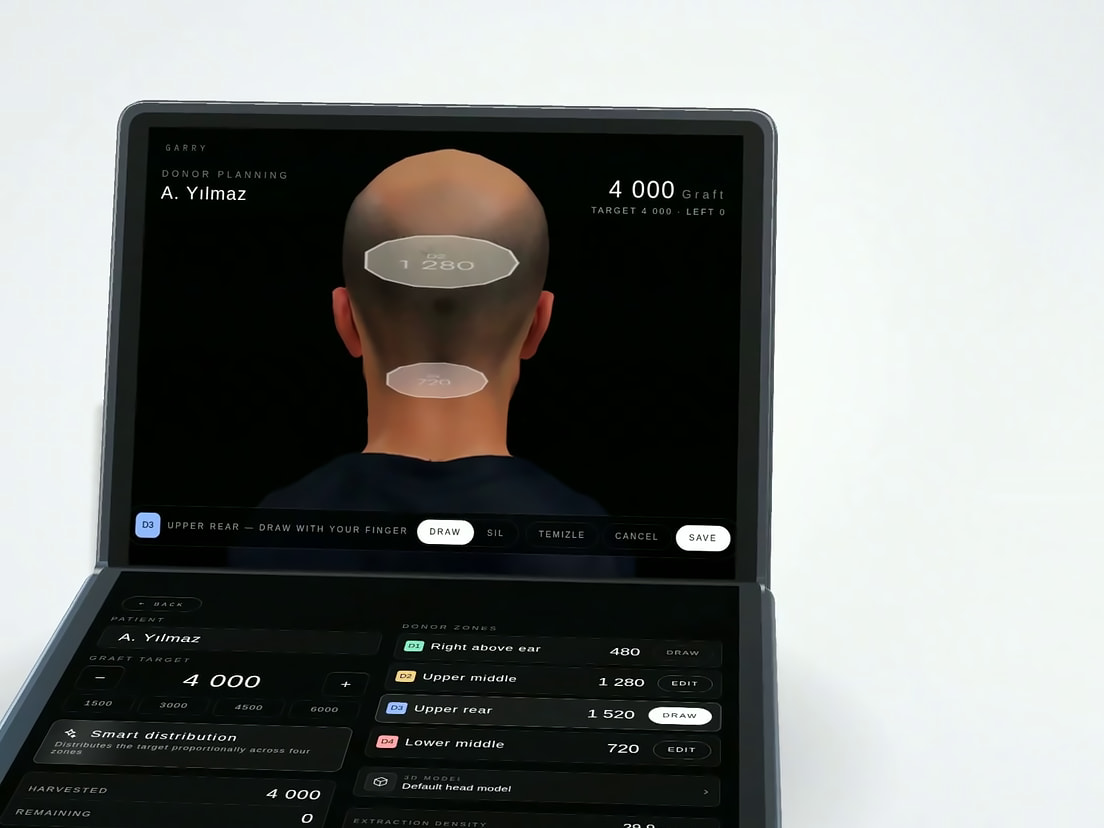
- 01Donor area in 3DA live head model that rotates and zooms, with the donor zones drawn on it.
- 02Graft target, distributedEnter the graft target and the system shares it across the zones; the film shows 4,000 grafts balanced across 4 zones.
- 03Zones drawn with a fingerEach donor zone is drawn directly on the head and receives its own graft count.
- 04Plan readyThe marked zones, the target and the per-zone counts are the plan the session follows.
03Create your own mode
Four motions. Your sequence.
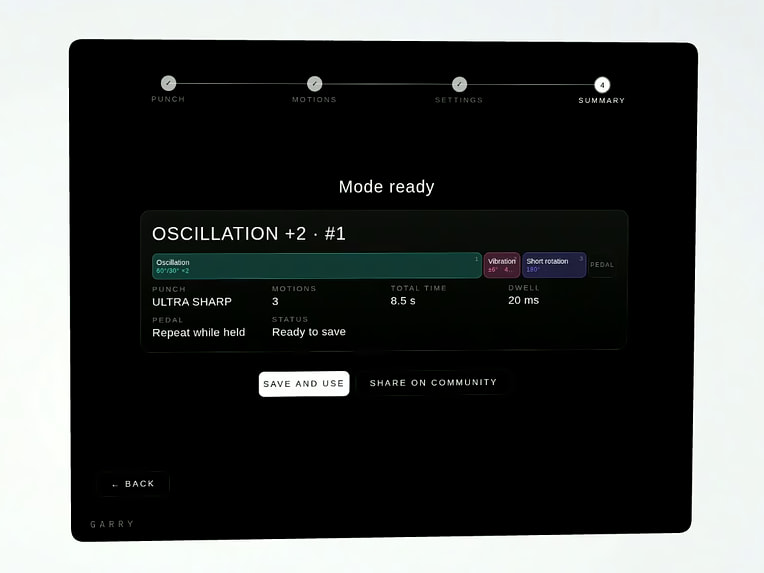
A mode is built in 4 steps: the punch, the motions, the pedal and timing settings, then a summary that saves it.
A mode in 4 steps
- 1Punch
- 2Motions
- 3Settings
- 4Summary
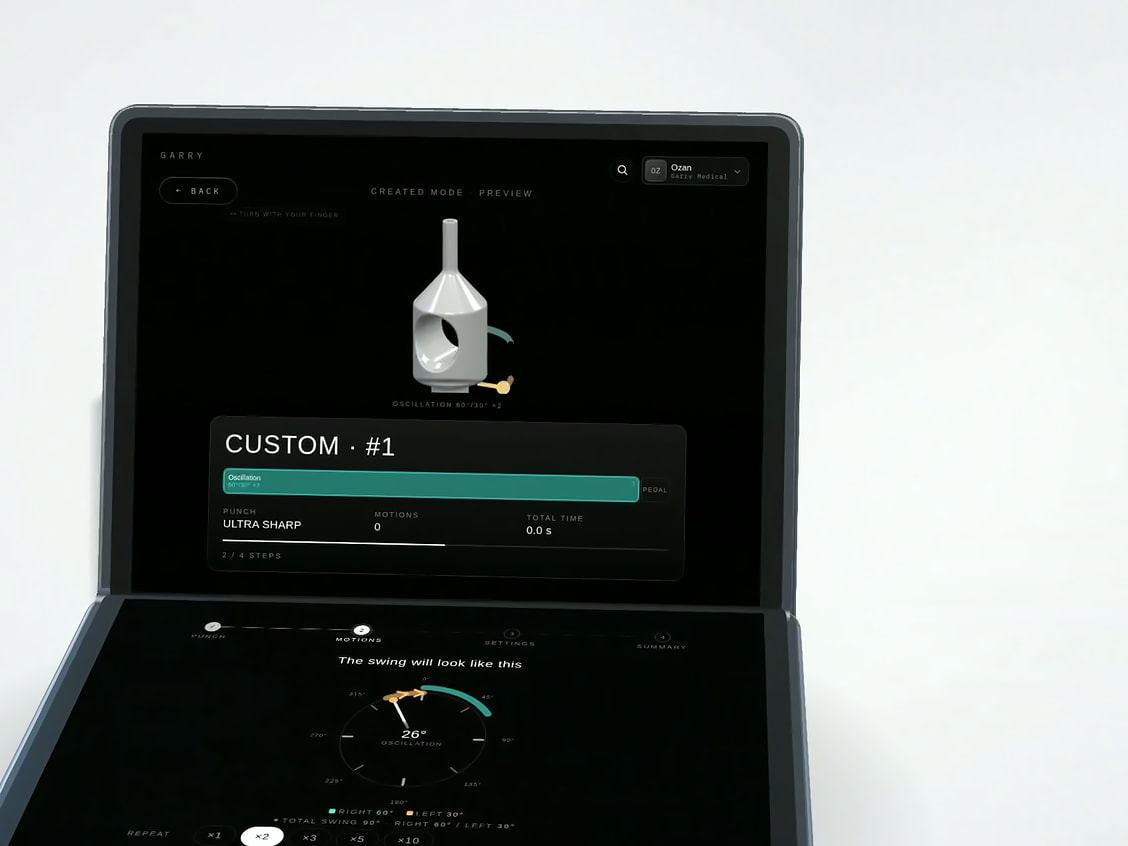
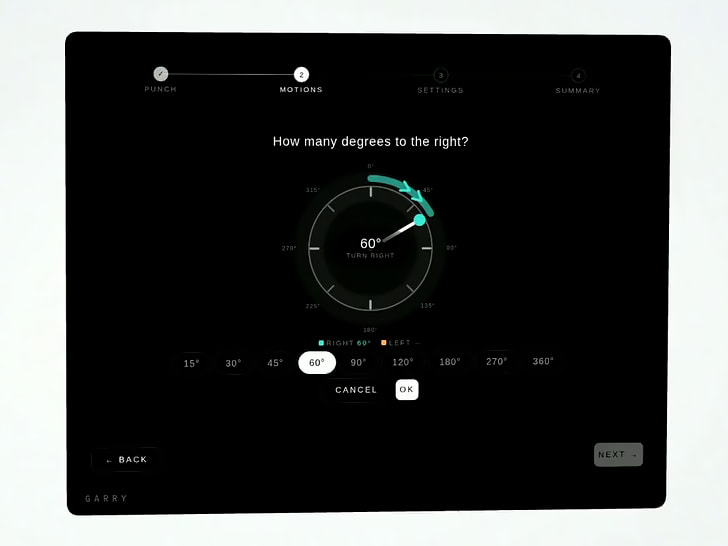
- 01Pick the punch, see it liveThe chosen punch is shown on the screen, and every motion added is previewed on it before the session.
- 02Arrange the motionsContinuous rotation, oscillation, vibration and short rotation are placed in the order you want; they run in sequence on every pedal press.
- 03Tap to set the angleRight and left angles are chosen on a dial with a repeat count, and the preview shows how the punch will swing.
- 04Pedal and timingThe pause between motions is set in milliseconds, and the sequence can repeat for as long as the pedal is held.
- 05Save and useA finished mode is saved on the device and can be shared with the Garry Community in one tap.
04Create your own mode
The four motions
The figures are the settings shown in the product film. Speed, angles, frequency and timing are set per mode on the device.
01 / 04
Continuous rotation
12,000 rpm · one direction · continuous
The punch spins in one direction without interruption, a motion for thick, coarse hair.
02 / 04
Oscillation
Right 60°, left 30° · repeat ×2
The punch swings back and forth through the set angles, a motion intended for unshaven long hair.
03 / 04
Vibration
±6° · 40 Hz · 300 ms
A short, high-frequency motion designed for a gentle entry of the cutting edge.
04 / 04
Short rotation
180°, then stop · step by step
The punch rotates through a set angle and stops, for a controlled cut.
Three motions, one pedal
In the film an oscillation, a vibration and a short rotation run in that order on every pedal press, with a 20 ms pause between them, repeating while the pedal is held.
Pedal and timing
The pause between motions is set in milliseconds, and the sequence can repeat for as long as the pedal is held.
20 ms
Create your own mode
05Session mode
Built-in modes. Or yours.
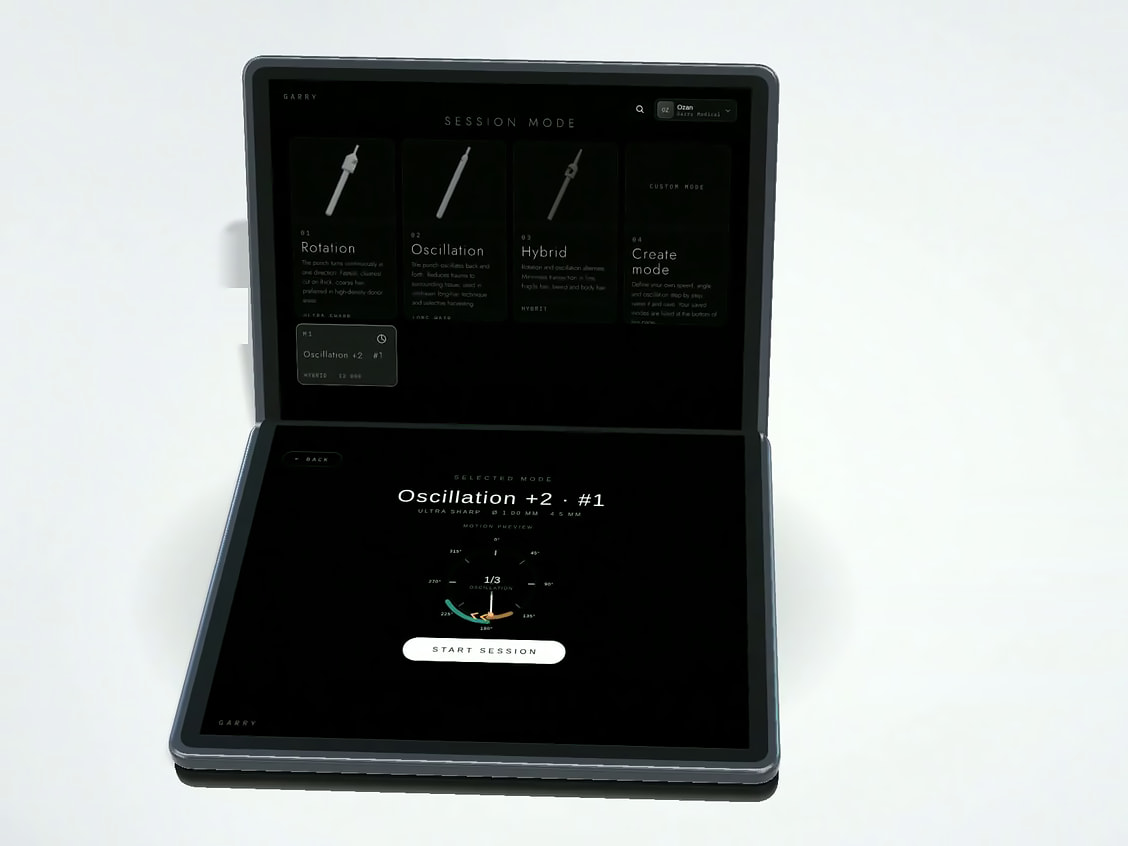
Rotation, Oscillation and Hybrid come built in; the modes you create sit beside them.
- 013 built-in modes, plus your ownThe session starts from one of the built-in modes, a mode you created or a profile loaded from the Community.
- 02Preview on the lower screenThe selected mode is previewed on the lower screen with its punch and motion before Start session.
The session modes
- 01RotationThe punch turns continuously in one direction.
- 02OscillationThe punch swings back and forth between the set angles.
- 03HybridRotation and oscillation combined in one sequence.
- 04Create modeYour own sequence of motions, saved on the device and shared with one tap.
06Live session
Live. Every graft.
Pedal down, the sequence runs, and both screens follow the session.
Shown live while the sequence runs
- Speed
- Torque
- Motor load
- Temperature
- 01The sequence runsSpeed, torque, motor load and temperature are shown live while the motions run in their order.
- 02Tracked on the headThe active zone is highlighted on the head model and the harvested grafts are marked on it.
- 03Every graft is countedZone progress, harvest rate, time and the transection rate are counted as the session runs.
One session, one flow
- 1Preparation
- 2Donor zones
- 3Closing
Preparation, the donor zones and closing are shown as one flow, at a glance.
07Live session
Charts in real time
The harvest curve, zone performance, the density matrix, average and peak rate, stability and pauses.
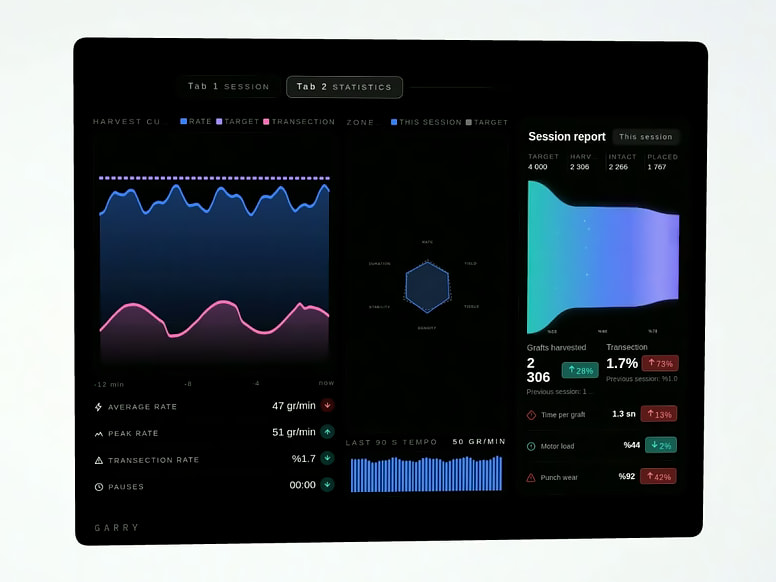
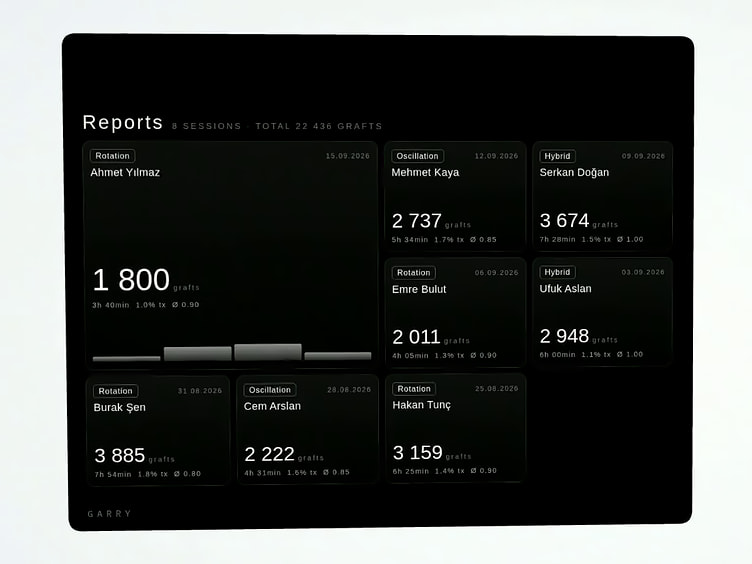
- 04Charts in real timeThe harvest curve, zone performance, the density matrix, average and peak rate, stability and pauses.
- 05Progress zone by zonePreparation, the donor zones and closing are shown as one flow, at a glance.
- 06Finish, it is savedWhen the session ends the counters freeze and the report is generated; the session history is kept in one place, each report with a QR code and a PDF.
Live session
Speed, torque, motor load and temperature; zone progress, harvest rate, time and transection rate; real-time charts; a session report with QR code and PDF
08Personalisation
Your colour. Your language.
The interface follows the user, on both screens at once.
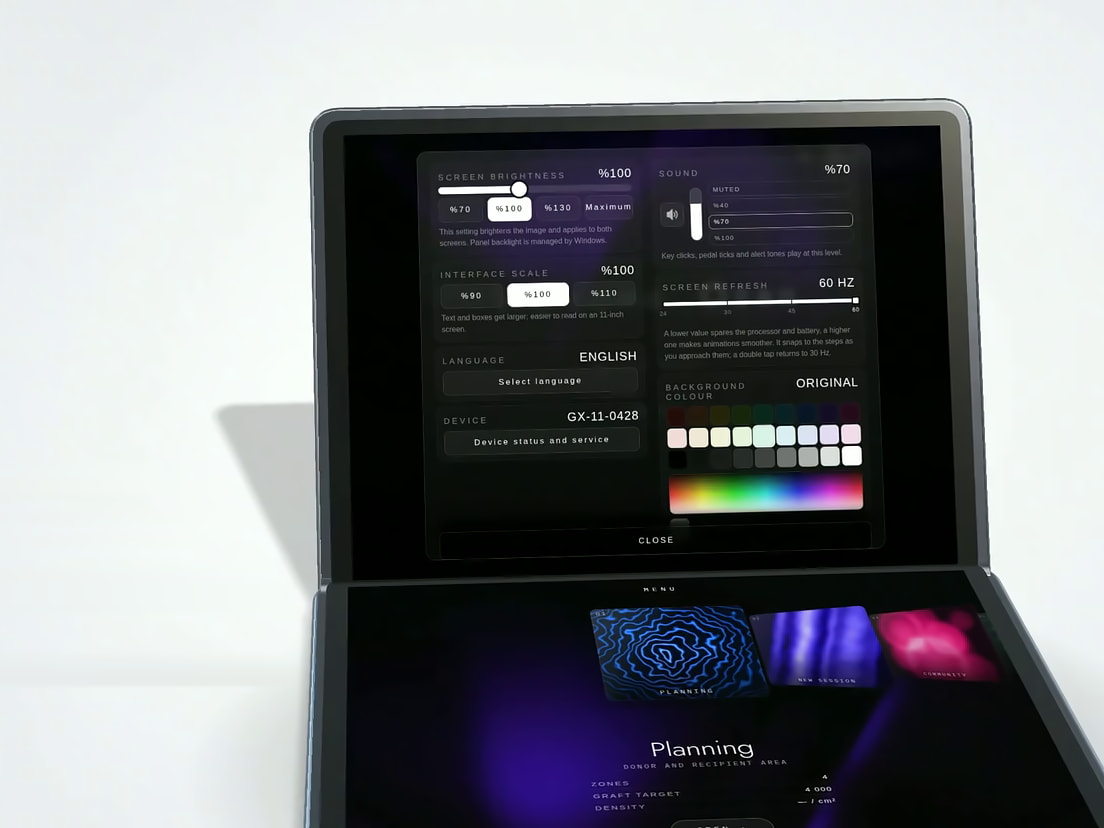
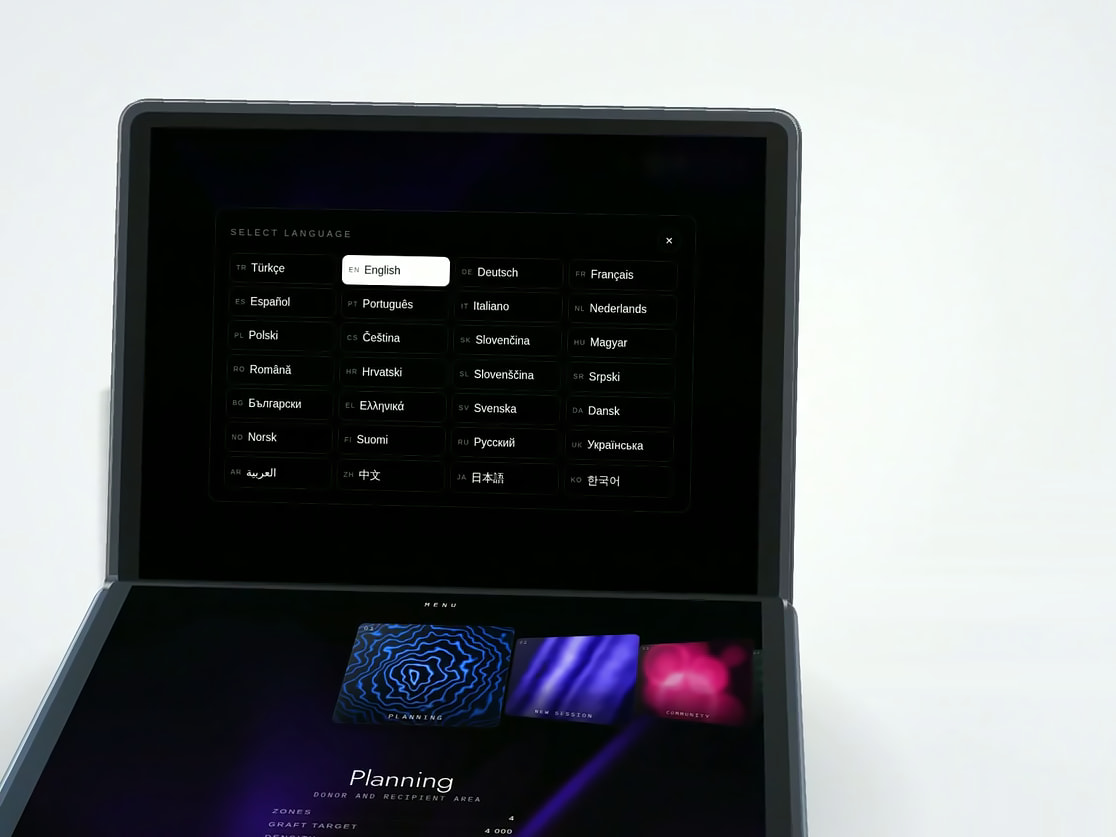
- 01Your colour, same contrastThe background colour is chosen from the palette; the system checks legibility and keeps the tone.
- 02Instantly, both screensMint, Navy and 18 more colours apply to both screens at once.
- 03One touch, 28 languagesThe interface switches language in one touch; English, Deutsch, Türkçe and العربية are among the 28.
28 interface languages
- Türkçe
- English
- Deutsch
- Français
- Español
- Português
- Italiano
- Nederlands
- Polski
- Čeština
- Slovenčina
- Magyar
- Română
- Hrvatski
- Slovenščina
- Srpski
- Български
- Ελληνικά
- Svenska
- Dansk
- Norsk
- Suomi
- Русский
- Українська
- العربية
- 中文
- 日本語
- 한국어
Background colours
and 18 more colours, applied to both screens at once
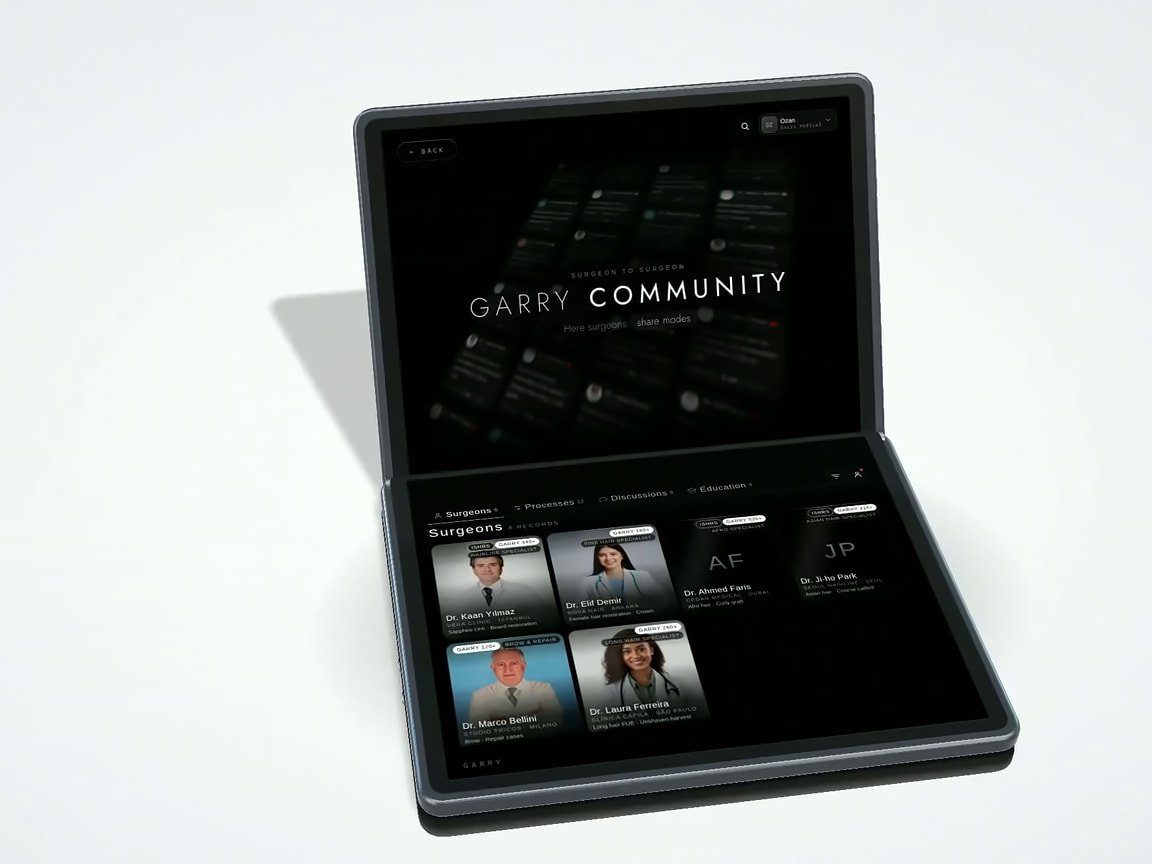
09Garry Community
Surgeon to surgeon.
A surgeon network on the device: profiles, shared processes, discussions and notifications.
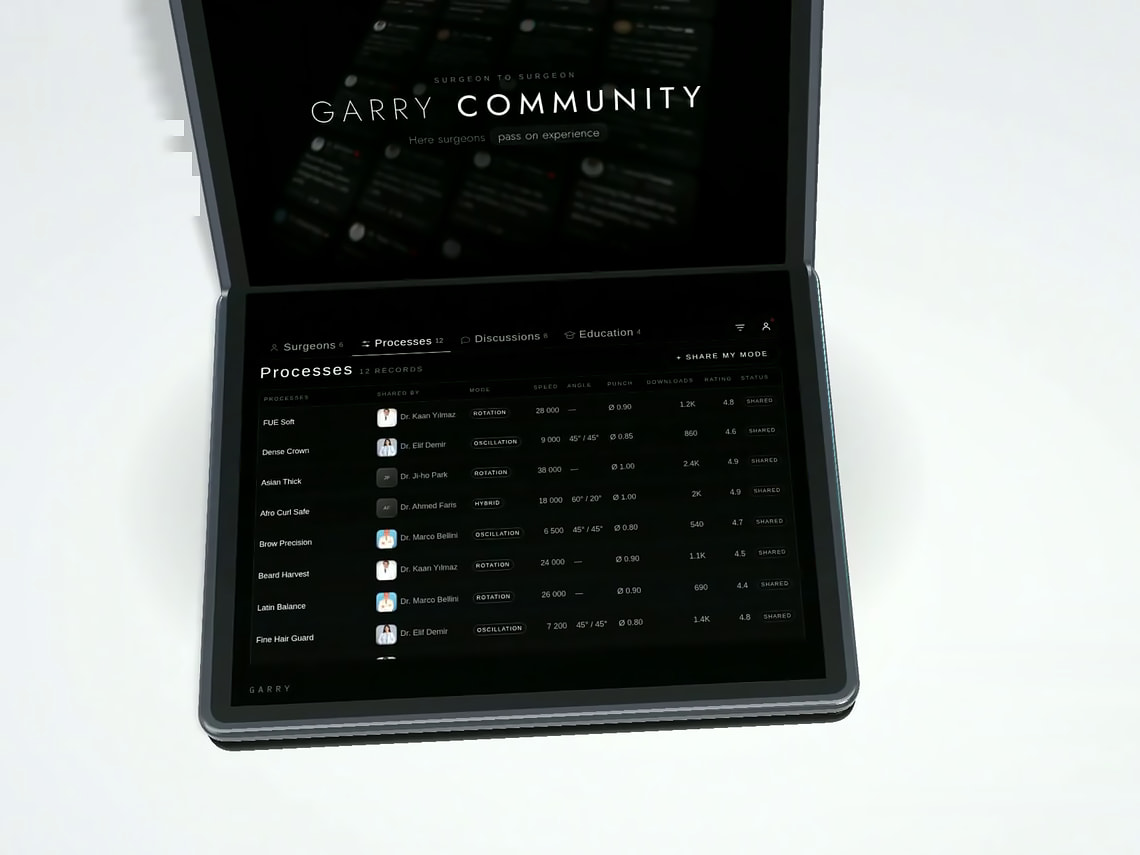
- 01Experience, sharedEach profile shows the case count, the followers and the processes the surgeon has shared.
- 02Ready-made profilesShared processes list speed, angle, punch and dwell, rated by other surgeons.
- 03Like it, load itOne tap loads a shared profile to the device, where it becomes a session mode.
- 04Ask, get answersDiscussions on cases, motion profiles and experience; notifications tell you when the surgeons you follow share something new.
Inside the Community
- 01Surgeons
- 02Processes
- 03Discussions
- 04Education
10Help and education
Help, one message away.
Support and learning live on the device.
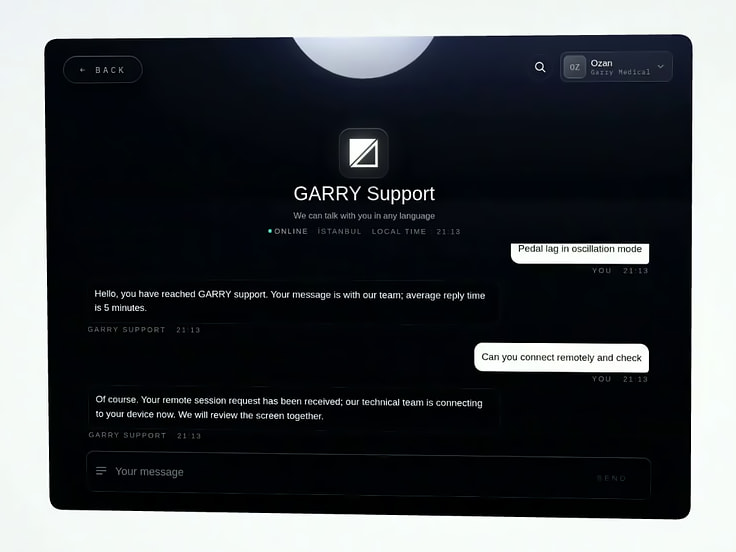
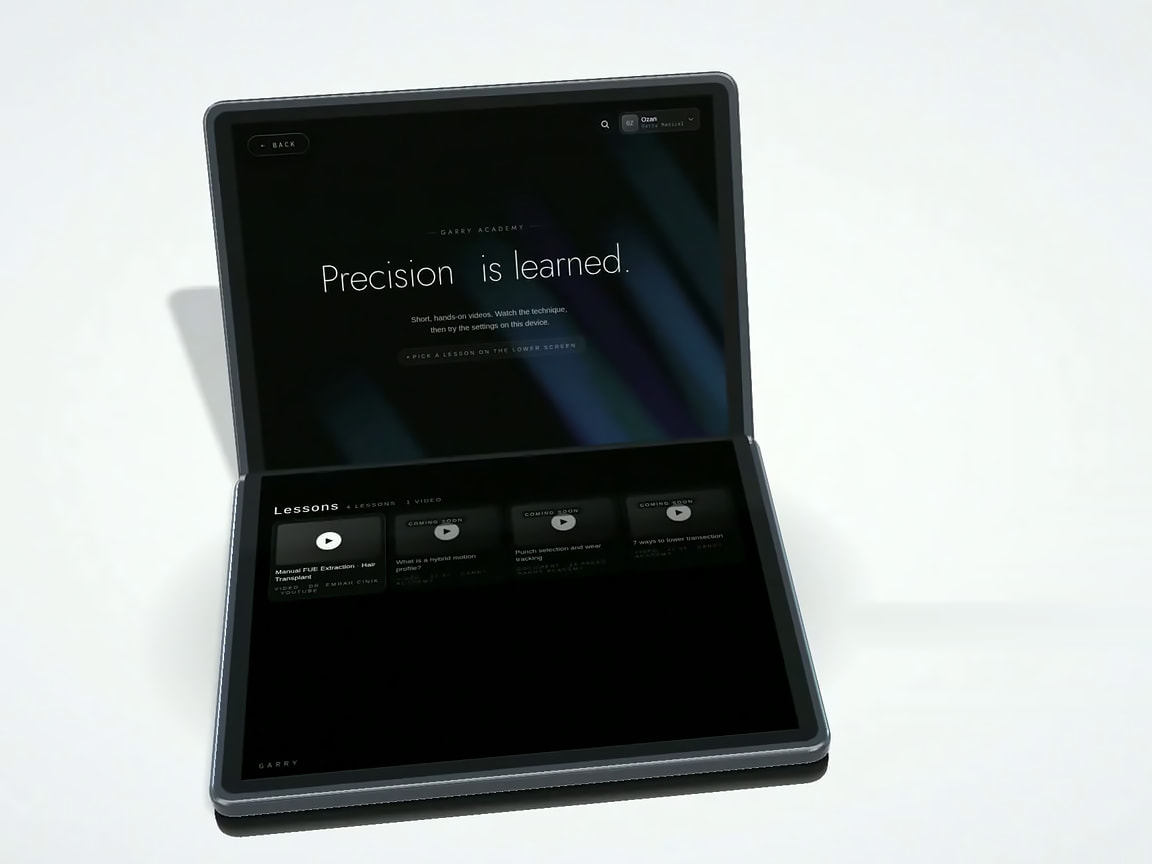
- 01Type, we replyA message to Garry Support goes straight from the device, in any language, and the reply arrives on the same screen.
- 02We connect remotelyOn request our technical team connects to the device and reviews the screen together with you.
- 03A library on the deviceShort lessons, right on the device, under Education.
Warranty and updates
- 11-year warrantyThe Garry Smart Fue System carries a 1-year manufacturer warranty from Garry Medical.
- Automatic system updatesSystem updates are installed on the device automatically, and the system is developed continuously.
11Product brochure
Garry Smart Fue System at a glance
Our dual-screen FUE system: plan the donor area in 3D, build your own punch motion mode and follow every graft live on the screen.
| Item | Detail |
|---|---|
| Type | Hair transplant machine for FUE extraction |
| Screens | 2 touch screens, one workflow: the live view above, controls and preview below |
| Menu | Planning · Session · Community · Education · Settings |
| Planning | 3D head model, donor zones drawn with a finger, the graft target distributed across the zones |
| Motion types | Continuous rotation, oscillation, vibration, short rotation |
| Modes | Rotation, Oscillation and Hybrid built in, plus the modes you create and profiles loaded from the Community |
| Live session | Speed, torque, motor load and temperature; zone progress, harvest rate, time and transection rate; real-time charts; a session report with QR code and PDF |
| Interface | 28 languages and 20 background colours, applied to both screens |
| Support | Support messages and remote access from the device; a lesson library under Education |
| Warranty | 1-year manufacturer warranty from Garry Medical |
| Software updates | Installed automatically; the system is developed continuously |
| Manufacturer | Garry Medical, Türkiye |
| Configuration and pricing | Handpiece, punch compatibility, accessories, availability and pricing are confirmed on the quotation |
How to order
- 01Request a quoteSend the quote form on the product page or write to the sales e-mail with your clinic or distribution profile.
- 02Configuration and priceWe reply within 24 hours on business days. Handpiece, punch compatibility, accessories, availability and price are confirmed on the quotation.
- 03Delivery and supportDispatch is confirmed per order. Support messages and remote access run from the device; the lesson library is under Education.
Contact
GARRY Medical
info@garrymedical.com
wa.me/garrymedical
www.garrymedical.com
Oruçreis Mah. Tekstilkent Cad. A5 Blok No:13 Esenler, İstanbul / Türkiye
Visual index
GARRY
Precision instruments engineered for modern hair restoration surgery
GARRY Medical · www.garrymedical.com